
Picking "the AI animation tool" used to be a 12-month commitment. Today it's a Tuesday afternoon decision, and a different one next month. Your pipeline has to be built for that pace.
01The problem
Every generative video model has its own quirks. One handles motion well but mangles faces. One nails style but caps at five seconds. One is brilliant on close-ups, one only works on landscape. The right answer for any given shot is usually a different model, and the right answer for the show next quarter is a model that doesn't exist yet.
Hard-wiring a single backend into your storyboard tool is technical debt with a six-week half-life. We refused to do that.
02The approach
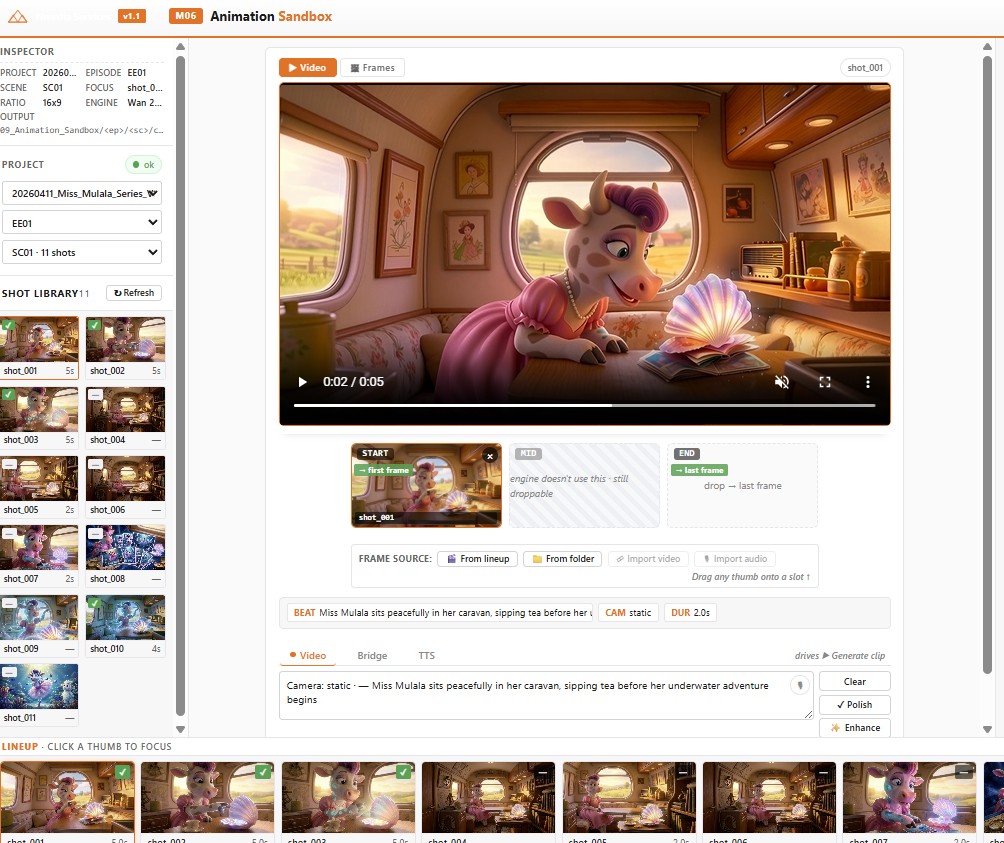
Module 06 is built around a backend abstraction. Each provider (Veo, Kling, Runway, an open-source local runner) implements the same submit / poll / fetch interface. The control panel lets the operator pick a backend per shot, or fan a single shot out to all backends and compare results. The prompt graph stays identical.
Failed renders don't crash the panel; they're recorded against the shot ID and the operator can retry on a different backend with one click. Successful takes are versioned automatically, so the team can step backwards if the "improved" prompt produced a worse result.
"The pipeline survives the model churn. That's the whole point."
03Inside the control panel
Each shot card is a small bench. Pick a backend, watch the queue, audition takes, lock a winner.
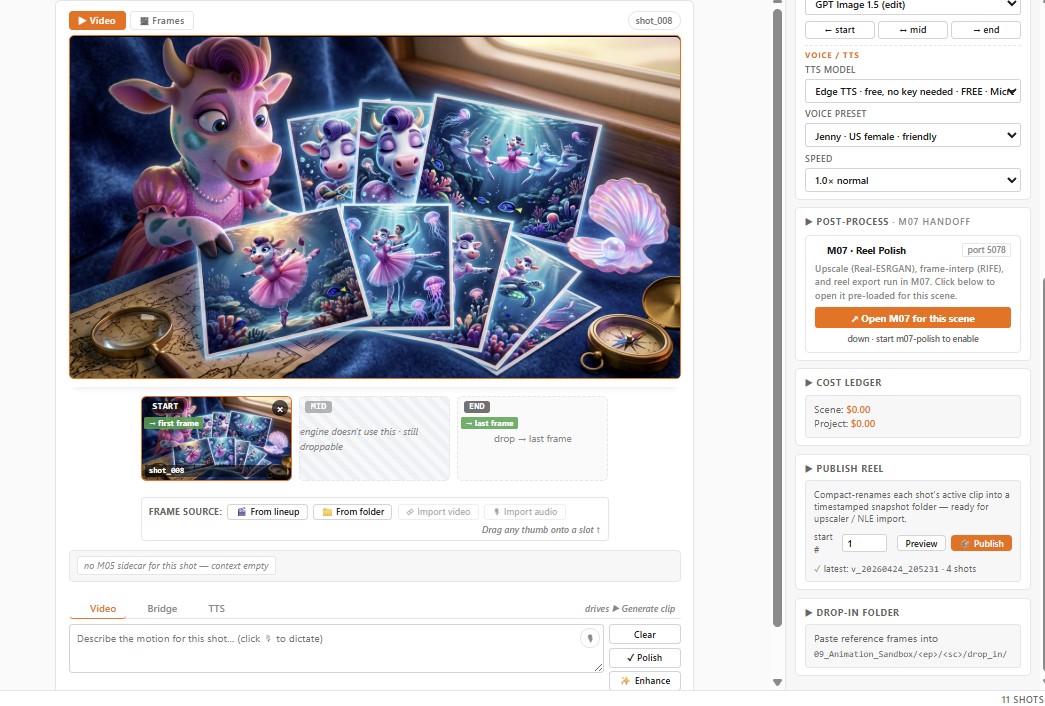
- Backend roster. Add a new model by writing one adapter; the panel picks it up automatically. No core code changes.
- Same-prompt fan-out. One click renders the shot across every backend on the roster, A/B/C/D in a single pass.
- Take versioning. Every render is archived with its prompt, seed and backend. Stepping back is always possible.
- Cost tracking. Per-backend cost per shot logged to the project manifest, a producer's-eye view of where the budget is going.
04What's next
We're adding auto-routing, a small classifier that picks the right backend per shot based on the prompt's content (close-up vs wide, dialogue vs action, photoreal vs stylised). The operator stays in control, but the default choice gets smarter as the show progresses.