
A character bible says who someone is. An episode says what they're wearing today. Most pipelines collapse those two things into one folder. We keep them separate and let the data do the joining.
01The problem
Module 01 produces a canonical cast, the show's visual contract. But real episodic production needs variants: a wedding suit, a hospital gown, a winter coat, a prop that breaks, a kitchen that gets redecorated mid-season. If you re-roll the whole character every time you need a costume change, you've thrown the contract away.
The opposite mistake is just as bad: hand-painting variants disconnected from the canonical sheet. By episode six, nobody can remember which jacket is "real" and which was a one-off. The face starts to drift along with the wardrobe.
02The approach
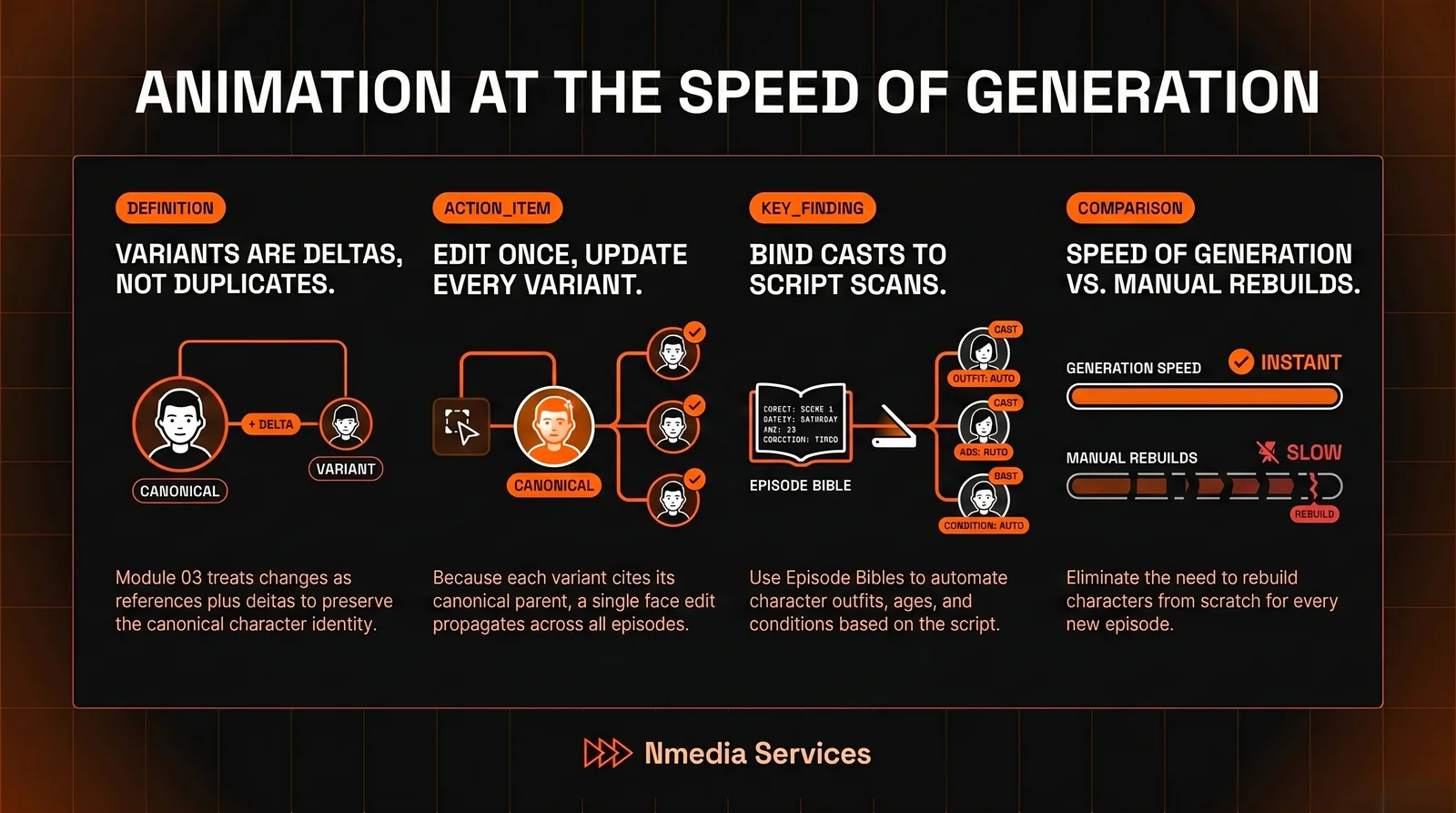
Variants in Module 03 are references plus deltas. Each variant points at its canonical asset (face, build, palette) and stores only what changes. Outfit description, prop set, environmental modifiers. Generation conditions on the canonical sheet first, the delta second. The face stays. The clothes change.
Episodes themselves carry a small bible: which characters appear, which variants apply, which props are in play. That bible is just JSON the rest of the pipeline can read. Module 04 (Storyboard) auto-pulls the right outfits. Module 05 (Animatics) gets the right voice clones. Module 07 (Polish) doesn't have to think about it.
"Variants are deltas, not duplicates. That single shift made every downstream tool simpler."
03Inside the control panel
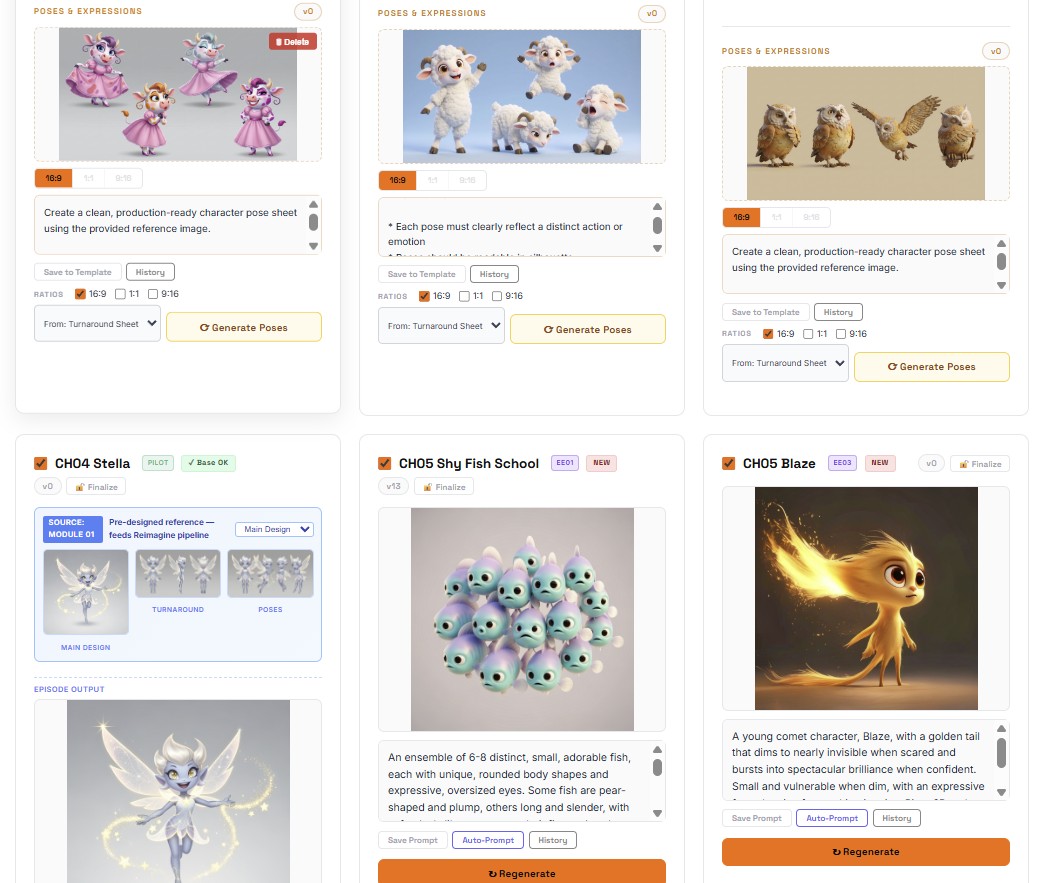
The panel splits left / right: canonical assets stay locked on the left, episode-specific work happens on the right. The operator never accidentally edits the bible while making a new outfit.
- Variant inheritance. A variant cites its parent asset by ID. Edit the parent's face and every variant updates on the next render.
- Episode bibles. Per-episode JSON listing the cast, variants, props and environments in use. Auto-generated from Module 02's script scan.
- Wardrobe diff. Side-by-side comparison of two variants on the same character. Useful for art-direction sign-off.
- Bulk relink. Move a canonical sheet, every variant follows. No broken references.
04What's next
The next layer is continuity scoring: an automatic check that flags when an episode bible references a variant that hasn't been rendered yet, or when two variants drift too far from their canonical parent. The supervisor's job becomes reviewing exceptions instead of hunting for them.